
Branded Content Metrics and Incentives
In this article
In this article group
- Share Content to a Company's LinkedIn Page
- Review Share Analytics
- Understanding Leaderboard Point Values
- Social Media Policy Best Practices
- Active User Overview
- Review Posts Analytics
- Review User Analytics
- Understanding Disclosures: How to Create and Use Them
- Block Words From Being Shared Using Blocklist
- Admin Tab: User Management Overview
- Create a Segment
- Create a Private Group and Add Members
- Admin Analytics and ROI Dashboard
- Create Content Emails
- Review Group Analytics
- Group Examples for a Successful Workspace
- Content Email Best Practices
- Create and Customize Leaderboards
- Measure a Program's ROI
- Set Engageable Posts Default Share and Engage Buttons (Post CTAs)
- Release Notes
- Submit an Idea to the EveryoneSocial Product Team
- Admin Posting Permissions
- Require a Social Media Policy During Onboarding
- Manage Segments
- Update Language Settings
- Upload Custom Stickers to Use on the Mobile App
- Send Users a Message with EveryoneSocial
- View Our Roadmap
- Review Leaderboard Analytics
- View Analytics for Posts with Multiple Share Copy and Image Versions
- Content Email Data
- Manage Content Emails
- Sign up for the Early Adopter Program
- Why is my Leaderboard losing points?
- Delete a Group
- Brand Voice for AI-Generated Copy
- Configure a Group's Settings
- Assign Moderators to a Group
- Company Pages and Data Pulling
Branded content is a powerful advocacy tool that allows brands to visualize how their content connects with their audience while promoting their products or services. In this article, we review how to understand the data for branded content, and find ways to incentivize your team to share branded content with their networks.
Review branded content performance
Branded content metrics are available in all but the "Users: Internal Engagement" report in Analytics. Branded content is a metric and will have True as the value while non-branded content will have a value of false .
We recommend focusing on external share reports to review metrics around branded content since it’s best to share your brand with those outside your advocacy program. Look at the Users: External Activity report and the Shares: Detailed report.
You can then create visual reports to summarize how your branded content is performing.
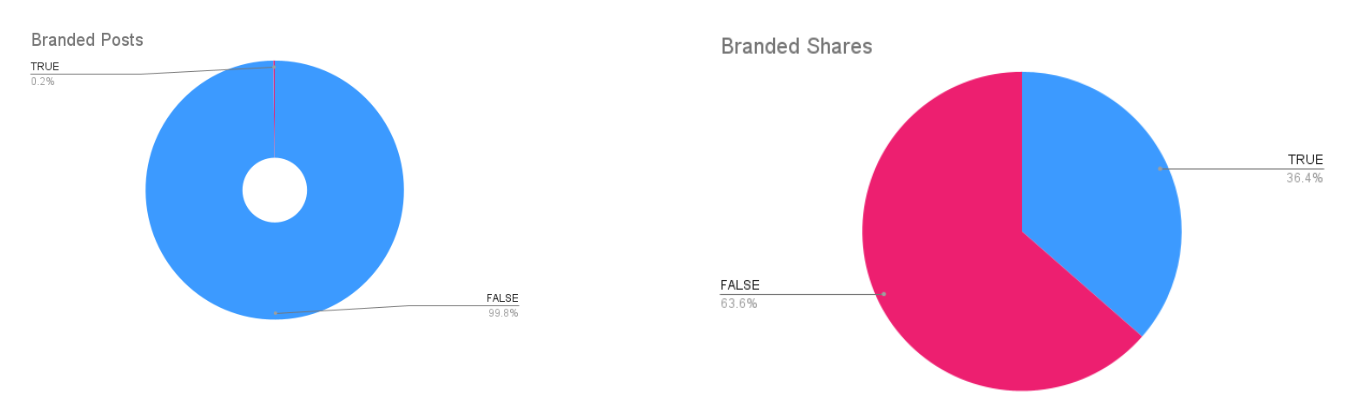
In the examples above, we compare how many posts are branded compared to our shared content. There is a healthy percentage of branded and non-branded content being shared but an unhealthy amount of non-branded posts in our Workspace. This tells us that we can review our non-branded posts to see if they are shareable or meant for internal communication. Internal only would mean there isn’t much to do, but if they are shareable, it would be time to review what Groups have the least shares to determine what content isn’t being shared and reduce it to save team time, and only provide relevant content to readers.
Don’t forget to communicate changes to your team.
Incentivize sharing branded content
Use Leaderboards to incentivize your team, and easily view who’s creating and sharing branded content.
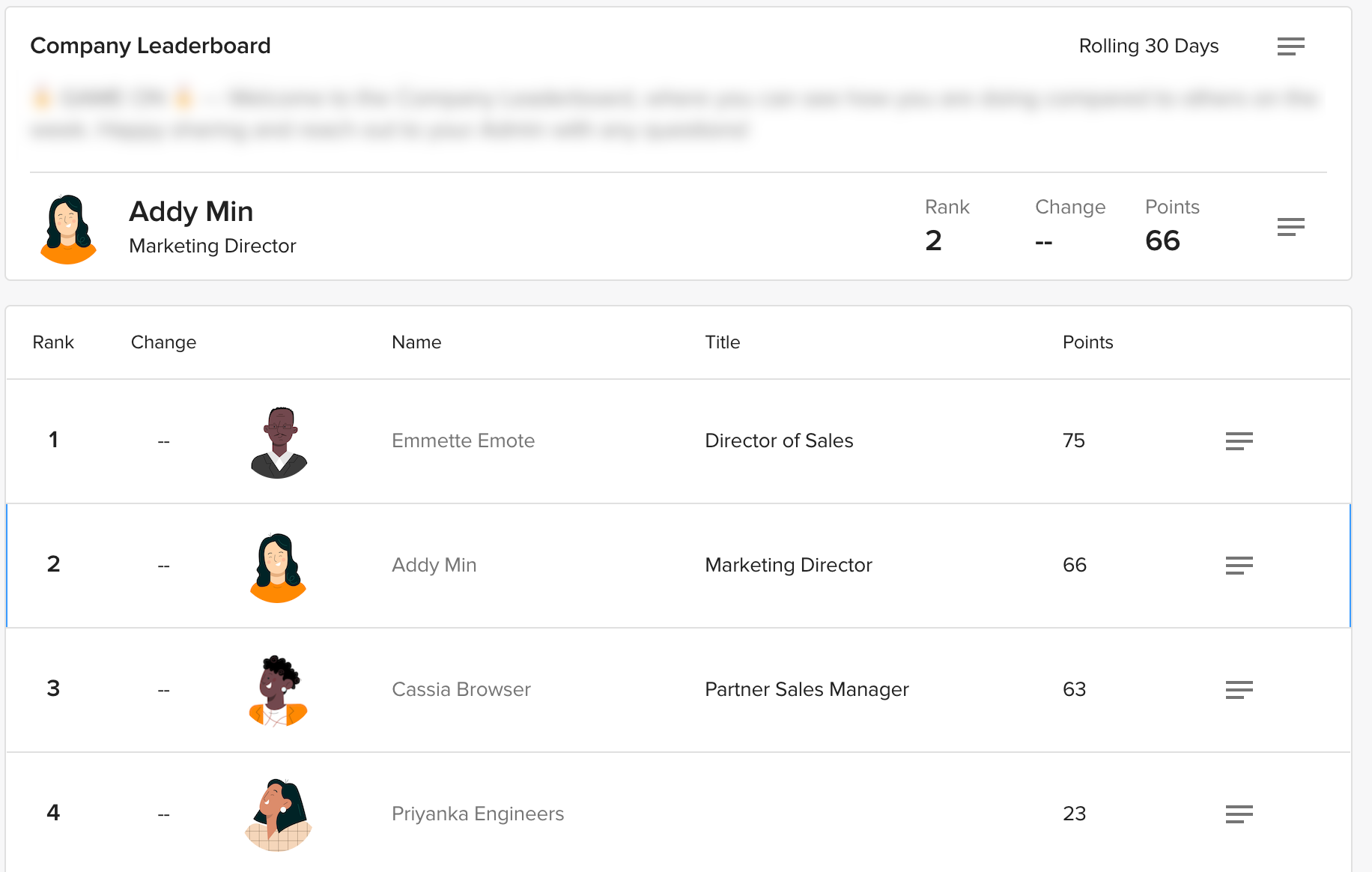
- Title the Leaderboard something fun and energizing that appeals to your team.
- “Shout it from the rooftops”
- “Company champions”
- “Brand Blast”
- “Promo Palooza”
- Edit all point values so only branded content is awarded points.
- Make it time-specific.
- Make the Leaderboard open for a specific time, or award team members regularly for sharing branded content.
Creating branded content is limited to Contributors, Moderators, and Admins. You can also mark content domains as branded.