
View Our Roadmap
In this article
In this article group
- Share Content to a Company's LinkedIn Page
- Review Share Analytics
- Understanding Leaderboard Point Values
- Social Media Policy Best Practices
- Active User Overview
- Review Posts Analytics
- Review User Analytics
- Understanding Disclosures: How to Create and Use Them
- Block Words From Being Shared Using Blocklist
- Admin Tab: User Management Overview
- Create a Segment
- Create a Private Group and Add Members
- Admin Analytics and ROI Dashboard
- Create Content Emails
- Review Group Analytics
- Group Examples for a Successful Workspace
- Content Email Best Practices
- Create and Customize Leaderboards
- Measure a Program's ROI
- Set Engageable Posts Default Share and Engage Buttons (Post CTAs)
- Release Notes
- Submit an Idea to the EveryoneSocial Product Team
- Admin Posting Permissions
- Require a Social Media Policy During Onboarding
- Branded Content Metrics and Incentives
- Manage Segments
- Update Language Settings
- Upload Custom Stickers to Use on the Mobile App
- Send Users a Message with EveryoneSocial
- Review Leaderboard Analytics
- View Analytics for Posts with Multiple Share Copy and Image Versions
- Content Email Data
- Manage Content Emails
- Sign up for the Early Adopter Program
- Why is my Leaderboard losing points?
- Delete a Group
- Brand Voice for AI-Generated Copy
- Configure a Group's Settings
- Assign Moderators to a Group
- Company Pages and Data Pulling
Stay current on the features we are considering and actively working on at EveryoneSocial with our EveryoneSocial Product Portal.
View and vote on features in consideration, in beta, and recently released. You can also submit your own ideas.
Roadmap Status
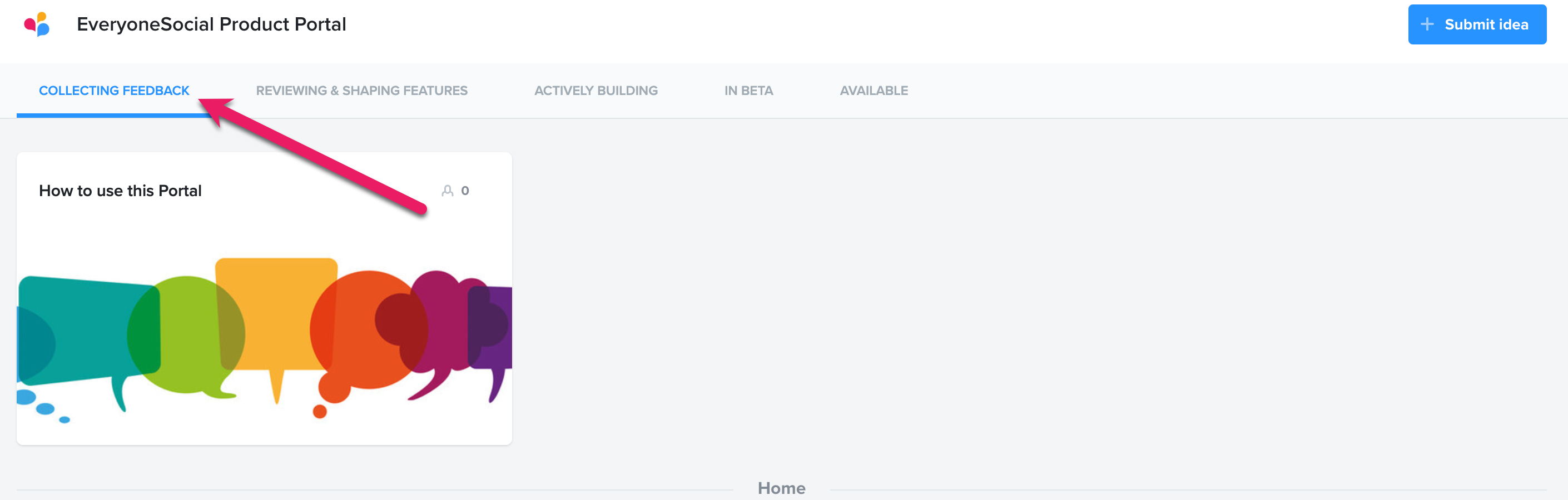
Once you access the Product Portal, you'll see the following tabs.
- Collecting Feedback: Features being considered. We welcome and appreciate any feedback for consideration.
- Actively Building: Features our Development team are building.
- In Beta: Features we have launched to our Early Adopter Program users.
- Available: Features we have launched. We also list periodic release notes here.
Submit your input for features on the Roadmap
You can leave a comment on any listed item, and we value any input you can provide.
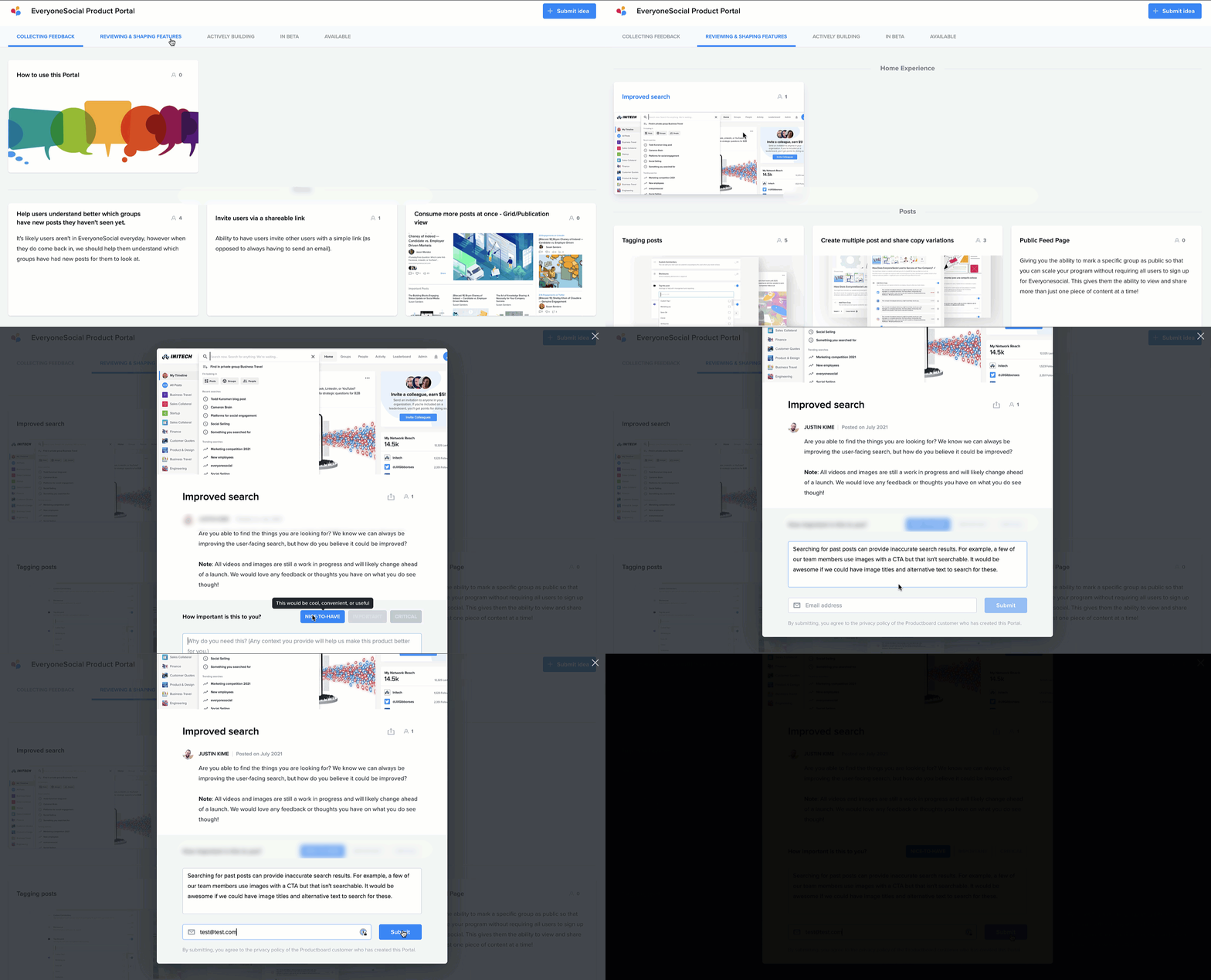
- Go to the Product Portal.
- Click the status tab.
- Click the item to comment on.
- Select the feature importance.
- Enter your feedback.
- Enter your email.
- Click Submit.
- Confirm your submission via an email notification.
Once you have commented on a card, you'll receive a notification once the card is updated to alert you of any changes.